
Tut uns leid, dieser Hilfe-Artikel ist zurzeit nicht in Deutsch verfügbar. Wenn Sie möchten, können Sie eine Übersetzung von Google versuchen.
Dieser Hilfeartikel bezieht sich auf eine alte Version von Direct Mail.
A draft campaign is an email campaign that is ready to send, but that hasn't been scheduled for a particular date or time yet.
To create a draft campaign:
- Click the Send button in the toolbar
- Click on the "Schedule" pop-up menu and select "Save as Draft"
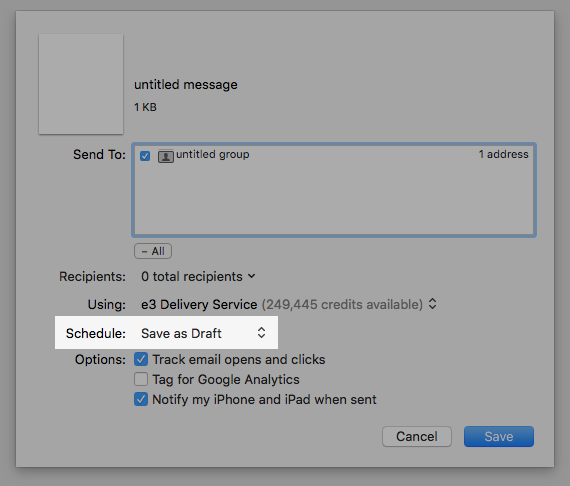
- Click the Save button
When you save a campaign as a draft, your campaign will be immediately uploaded to our e3 Delivery Service servers, but will not be sent until you actually schedule a delivery date. If you are using the Pay Per Email plan, credits for your delivery campaign will be deducted from your credit balance up front. If you later cancel delivery, those credits will be refunded back to your account.
To schedule a draft campaign for delivery, find the campaign in the Reports tab, then click the Schedule Delivery button.